
CommonSpirit - AR/GA/KY/TN/TX
CommonSpirit HealthMedical
4.2134.00 Reviews
- Version
- 11.5.2
- Installs
- 10.00K
- Age Rating
- Everyone
Screenshots
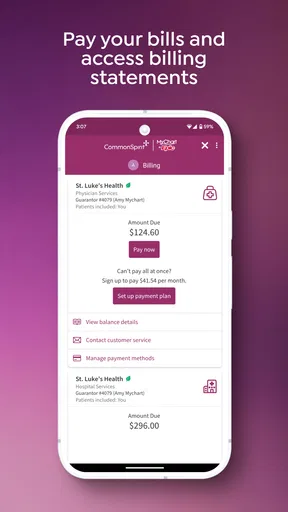
Our Review of CommonSpirit - AR/GA/KY/TN/TX
 Analysis by Appyee
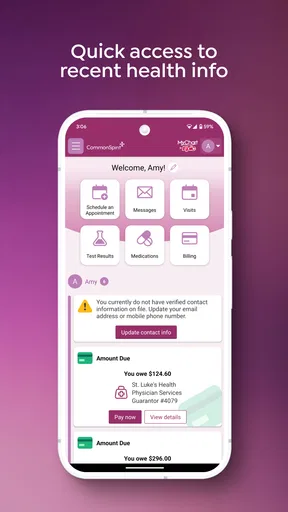
Managing healthcare rarely feels simple. Appointments, visit details, messages, and personal health information tend to be scattered across emails, paper notes, phone calls, and separate portals. CommonSpirit - AR/GA/KY/TN/TX is designed to bring part of that routine into one mobile place, and after spending time with it, I see its value mainly in reducing the small bits of administrative friction that can make care harder to follow.
This is a free medical app from CommonSpirit Health, aimed at people who already interact with the organization and want a more convenient way to reach recent health information, visit details, and messages. It is not the kind of app I would install casually for general wellness tracking. Its usefulness depends on having a connection to the relevant healthcare services, so the right question is not whether it has the largest feature list, but whether it makes your existing care easier to manage.
The app has an average rating of 4.2 from around 256 ratings, with over 10K installs. Those figures suggest a modest but established user base rather than a universal health platform. I would read that as a reason to judge it by practical reliability and clarity, especially when handling sensitive information, rather than by popularity alone.
How CommonSpirit fits into everyday healthcare
My first impression is that the app makes the most sense as a companion to an existing patient relationship. The developer is CommonSpirit Health, and the name covering AR, GA, KY, TN, and TX signals that the intended audience is connected to CommonSpirit services in those areas. If your care is already organized through that network, having recent details and messages together can save time. If your doctors and facilities are elsewhere, the app is much less likely to become a central part of your routine.
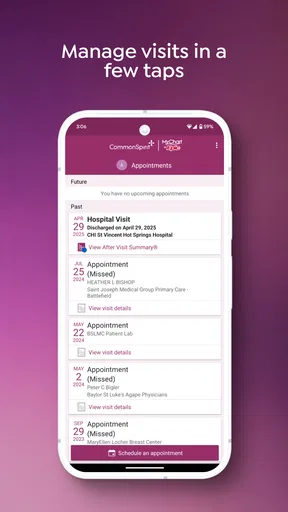
A realistic example is a follow-up visit that happened a few days ago. Instead of searching through a text message, calling the office to repeat a question, or trying to remember which paper contained the relevant detail, I would open the app and check the recent visit information or look for a message. That is a small improvement, but healthcare administration is made up of many small tasks. Removing even one unnecessary phone call can matter when someone is working, caring for a family member, or recovering at home.
I also think the app is better suited to people who prefer checking information themselves than to users who want a fully hands-off experience. You still need to pay attention to what you are reading, understand which visit or message it relates to, and decide when a question requires direct contact with a healthcare professional. A patient portal can organize information, but it does not replace clinical judgment or urgent assistance.
Because the app is free and rated for Everyone, the barrier to trying it is low. That does not mean every person will find it useful. A family member who only visits independent practices, someone who rarely uses a smartphone, or a patient who needs a single-purpose medication tracker may be better served by another tool. The app’s strength is its connection to CommonSpirit-related care, not broad health management.
What I would use it for first
I would begin with the most concrete tasks: checking recent visit details and reviewing messages. Those are the areas where a healthcare app can immediately replace scattered notes and repeated calls. I would not start by expecting it to become my complete medical record, because the store summary focuses on recent information and communication rather than promising that every part of a person’s health history will appear in one place.
That distinction is important. A recent visit view can be useful before a follow-up appointment, when preparing questions, or when explaining the sequence of care to a family member. It should not encourage anyone to assume that an older document, external specialist note, or information from another healthcare system is automatically included. I would keep separate records for anything the app does not show and use the app as one channel in a larger care routine.
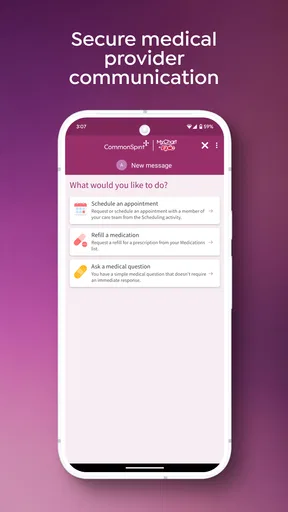
Messages are another practical starting point. I would check them after a visit, before calling a clinic with a question, and whenever I was expecting an update. The less obvious benefit is that a message thread can help me reconstruct what was already discussed. That can prevent sending the same question twice or giving a new staff member an incomplete explanation. The trade-off is that messaging is not the same as real-time conversation, so I would never rely on it for an urgent symptom or time-critical concern.
Trust begins with the account, not the interface
Health apps deserve a higher level of caution than ordinary shopping or entertainment apps. A clean screen is not enough to make me trust one. What matters is how clearly the app lets me control access, how carefully I handle the account, and whether I understand which information I am viewing before I act on it.
In my experience, the safest approach is to treat CommonSpirit - AR/GA/KY/TN/TX as a private doorway to healthcare information, not as a casual notification feed. I would avoid leaving the app open on a shared device, review messages in a private setting, and use a device lock. Those habits are especially important when visit details or personal correspondence can appear on screen.
I also recommend checking the account information carefully during setup. A healthcare app is only useful when it is connected to the correct patient identity and care relationship. If a household shares devices or if someone helps manage care for another person, I would be deliberate about which account is active before reading or sending anything. This is one of the most important practical controls because a mistaken account switch can create confusion even when the app itself is functioning normally.
The app’s current version is 11.5.2 and it requires Android 9 or later. For someone using an older phone, compatibility may be the first obstacle. I would check the operating system before planning to depend on it during a busy care period. Keeping the device and app current is also sensible for a medical tool, although an update should not be treated as a substitute for reviewing account security or privacy choices.
Small controls that make a real difference
One useful habit is to separate “I received a message” from “I have safely reviewed the message.” Notifications can be convenient, but they may expose a preview on a lock screen. I would examine the phone’s notification settings and choose a level of visibility that fits the device and household. If the phone is shared, borrowed, or frequently placed on a desk where others can see it, hiding sensitive previews is a practical privacy improvement.
Another habit is to sign out or close the session when using a device that is not exclusively mine. This matters in family situations, at work, or when helping an older relative. Convenience can tempt people to save access everywhere, but healthcare information is not something I would leave available on a public or shared phone.
I would also review messages before forwarding screenshots or copying details into another service. A screenshot can include names, dates, and surrounding conversation that the recipient does not need. If I had to share something with a caregiver, I would send only the relevant information and remove unnecessary personal details where possible. That is a user-controlled workflow, and it reduces exposure without requiring any special feature.
Finally, I would keep a separate list of questions for a clinician. The app can help me find recent details and messages, but relying on memory while moving between screens is easy to get wrong. Writing down what I want clarified before opening a message makes the visit or follow-up more productive. This is a simple advantage of using the app as a preparation tool rather than only as a place to read information.
Where sensitive moments need extra care
The most sensitive moment is not necessarily installation. It is what happens when information appears unexpectedly: a message on a lock screen, a visit detail viewed in a public place, or a conversation sent to the wrong thread. I would use the app with the same care I use for online banking, particularly when other people are nearby.
Messages require careful reading because healthcare wording can be brief or easy to misunderstand. If a note refers to a follow-up, test, or next step, I would confirm the context before making assumptions. A message may be part of an ongoing conversation rather than a complete explanation. The app can improve access to communication, but it cannot guarantee that a short message answers every clinical question.
Recent visit details can also be useful and incomplete at the same time. They may help me remember what happened and prepare for what comes next, but I would not use a displayed detail as permission to change treatment on my own. If something seems inconsistent with what a clinician told me, the right response is to ask the care team for clarification rather than choosing the interpretation that feels most convenient.
This is where the app compares favorably with paper notes but not necessarily with a direct conversation. Paper can be lost, damaged, or left at home; a mobile record is easier to check when the phone is available. On the other hand, a phone screen can encourage quick reading without enough context. I prefer the app for retrieval and preparation, while I prefer a direct clinical exchange for uncertainty, serious symptoms, or decisions that require explanation.
I would also avoid treating notifications as proof that something is urgent or complete. A notification tells me that there may be something to review; it does not replace opening the relevant content and checking what it actually says. This small distinction prevents a common mistake: reacting to a short alert without understanding the underlying message.
How much control the user really has
User agency matters in a medical app because the person holding the phone is often the person responsible for deciding what to read, save, share, or question. CommonSpirit - AR/GA/KY/TN/TX is most useful when I remain active in that process. I would check information rather than passively wait for reminders, keep my own questions organized, and verify details that affect care.
For people assisting parents, partners, or children, the account boundary deserves special attention. Helping someone does not automatically mean every message should be visible on a personal device. I would make sure the arrangement is appropriate, avoid mixing accounts, and discuss who should receive notifications. The safest workflow is the one where everyone understands whose information is being accessed and why.
There is also a trade-off between convenience and concentration. Keeping notifications enabled can make it easier to notice a new message, but frequent alerts can lead to careless reading or visible previews. Turning down unnecessary alerts may create a small delay, yet it can give the user more privacy and a calmer way to review information. I would choose settings based on the sensitivity of the household and how quickly messages normally need attention.
Another practical question is whether the app should replace a browser-based patient portal. I would not assume that one is always better. A phone app is convenient for quick checks, especially when I am away from a computer. A browser may be preferable when I need a larger screen, want to compare several pieces of information, or am working through a longer administrative task. Keeping both options available can be more useful than forcing every task into the mobile interface.
Who should install it, and who should skip it
I would recommend trying the app if you receive care through CommonSpirit services in the regions reflected in its name and want a simpler way to review recent visit information or messages. It is particularly practical for people who frequently move between appointments, manage care while working, or need to keep track of conversations without relying on paper.
I would also consider it for a caregiver who has a clearly appropriate role in helping another person, provided the account arrangement and device privacy are handled carefully. The benefit is not just speed. Having recent information available can make it easier to prepare for a call, remember what needs follow-up, and avoid asking the same administrative question repeatedly.
I would skip it as a primary health tool if my care is mostly outside CommonSpirit, if I need comprehensive tracking across multiple unrelated providers, or if my main goal is fitness, nutrition, medication reminders, or symptom journaling. Those needs call for specialized apps or a broader record-keeping system. Installing this one will not automatically combine every source of health information.
I would also be cautious about depending on it as the only way to reach care. Phones fail, accounts need attention, and messages are not designed for emergencies. I would keep the relevant clinic contact information available separately and know how to seek immediate help without waiting for an app response.
My measured verdict after using it
The best reason to choose this app is focused convenience with a healthcare connection you already use. It brings recent health information, visit details, and messages into a mobile workflow, which can make ordinary follow-up less scattered. I appreciate that practical focus more than a long list of unrelated wellness tools.
Its limitations are equally clear. Its value depends on the CommonSpirit relationship, and it should not be mistaken for a universal medical record or an urgent-care channel. Users need to manage notifications, protect the device, check the active account, and read clinical information with context. Those are not reasons to reject it; they are the responsibilities that come with using any app involving personal health information.
CommonSpirit - AR/GA/KY/TN/TX is free, available to Everyone, and was released on May 28, 2025. I would describe it as a useful access point rather than a complete healthcare command center. If your care already runs through CommonSpirit, I think it is worth trying because the everyday gains are believable: fewer searches through old messages, easier preparation for follow-ups, and quicker access to recent details. If you need cross-provider organization or specialized health tracking, I would choose another tool alongside it instead of expecting this app to cover everything.
My final recommendation is cautious but positive. Install it when it matches your healthcare relationship, take a few minutes to secure the phone and notification previews, and use it to support conversations with your care team rather than replace them. That approach gives the app room to be genuinely helpful while keeping control of sensitive information where it belongs: with the person using it.
Verdict
Strengths of CommonSpirit - AR/GA/KY/TN/TX
- Convenient access to appointments, providers, and health information in one place.
- Supports multiple CommonSpirit service areas across several U.S. states.
- Secure sign-in helps protect personal medical and account information.
- Useful for managing care while traveling within the supported network.
- Clear navigation makes key health services easy to find.
Limitations of CommonSpirit - AR/GA/KY/TN/TX
- Availability and features may vary by location and affiliated facility.
- Requires an internet connection for most account and care-management tools.
- Some users may need separate portals for services outside CommonSpirit.
- Medical information may take time to appear after appointments or test results.
- Not intended for emergencies; urgent issues still require immediate medical care.
Other Releases by CommonSpirit Health
View All
CommonSpirit - CO/KS/UT
Medical4.4
Similar Picks in This Category
View All
WebMD: Symptom Checker
WebMD, LLC4.1

Microphone Amplifier
DOSA Apps4.2

Anatomy Learning - 3D Anatomy
3D Medical OU4.5

Period Tracker and Calendar
SimpleInnovation4.9

GoodRx: Prescription Coupons
GoodRx4.8

CVS Health
CVS Pharmacy4.5
Frequently Asked Questions
What is CommonSpirit - AR/GA/KY/TN/TX?
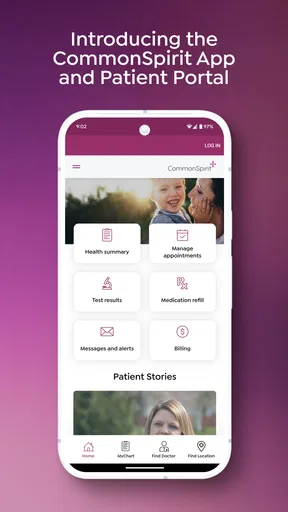
CommonSpirit - AR/GA/KY/TN/TX is a healthcare-focused mobile app designed for patients and users connected with CommonSpirit Health facilities in Arkansas, Georgia, Kentucky, Tennessee, and Texas. Depending on your location and participating provider, it may help you access health information, manage appointments, review messages, find care locations, and use other digital services offered by the organization.
What can I do with the CommonSpirit app?
The available tools can vary by hospital, clinic, and account type, but the app generally provides access to practical healthcare services in one place. Users may be able to schedule or view appointments, communicate with care teams, check test results, review portions of their medical information, manage prescriptions, locate facilities, and receive health-related notifications. Some features may require an activated patient account.
Is CommonSpirit - AR/GA/KY/TN/TX available for every patient?
The app is intended for patients and users receiving services through participating CommonSpirit Health locations in the covered states. Availability is not necessarily identical across Arkansas, Georgia, Kentucky, Tennessee, and Texas, because individual hospitals and medical groups may support different digital features. Before downloading, check whether your specific provider or facility is listed and whether you have the required patient portal credentials.
How do I sign in or create an account?
After installing the app, you will typically need to sign in using credentials connected to your CommonSpirit patient portal account. Some users may be able to register with personal information, an activation code, or details supplied by their healthcare provider. If registration fails, your information does not match, or you cannot remember your password, use the recovery options or contact the relevant CommonSpirit facility for assistance.
Can I use the app for emergencies or urgent medical problems?
No. CommonSpirit - AR/GA/KY/TN/TX should not be treated as a replacement for emergency services or immediate medical attention. The app is useful for routine healthcare access, communication, appointments, and account management, but messages may not be reviewed instantly. For serious symptoms or a life-threatening situation, call emergency services or go to the nearest emergency department rather than waiting for an in-app response.
